
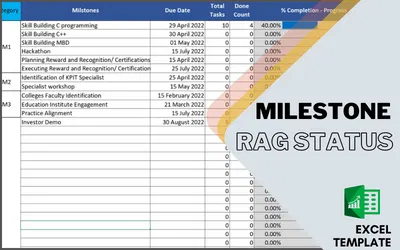
MILESTONE RAG STATUS-EXCEL TEMPLATE

This is a simple Excel template to track your RAG Status of Milestones.
You need to define the RAG Status bracket, possible task Status, and which status to treat as done. List down all the milestones with the Due Date. Then you can add activities under the milestone with the current status.
Configuration
| RAG Status | Define Start and End Percentage for Red, Amber and Green | ||
| Task Status | list down the possible status of your activity | ||
| Done Status | Which status the Template will treat as Done | ||
| Milestones | List down all the Milestones with expected due Date. | ||
Limitations
Max Status = 15
Max Milestone = 95
Max Activity = 599
FAQ
Q1. Is this Template work in Google Sheets?
Ans. We have not tested it. We believe as this template are using complex formulas and formats. It may create problems in google sheets
Q2. In case of issues where to get support?
Ans. email at support@agiledigest.com
Q3. Where Can I get a Demo of this excel?
Ans. Please watch the video from the sidebar, or visit this link https://youtu.be/6t8fIOl6zCI
Q4. If I need some customization, How can I Get that?
Ans. Please write to support@agiledigest.com
Video Tutorial
Gallery

