YEARLY CAPACITY & COST FORECASTING

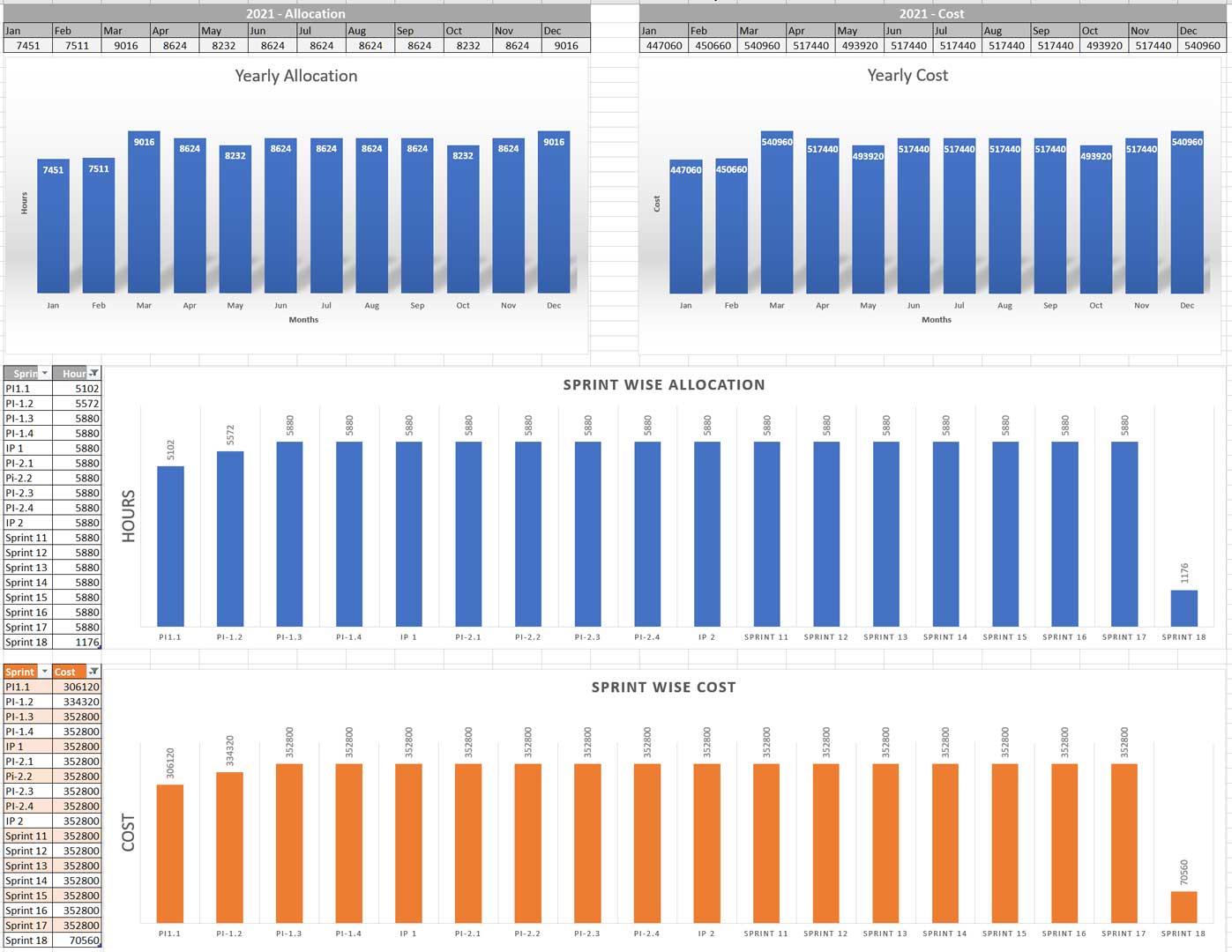
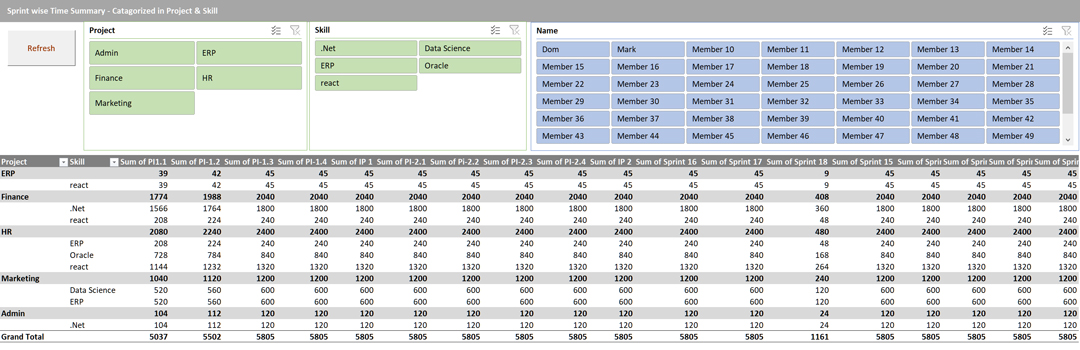
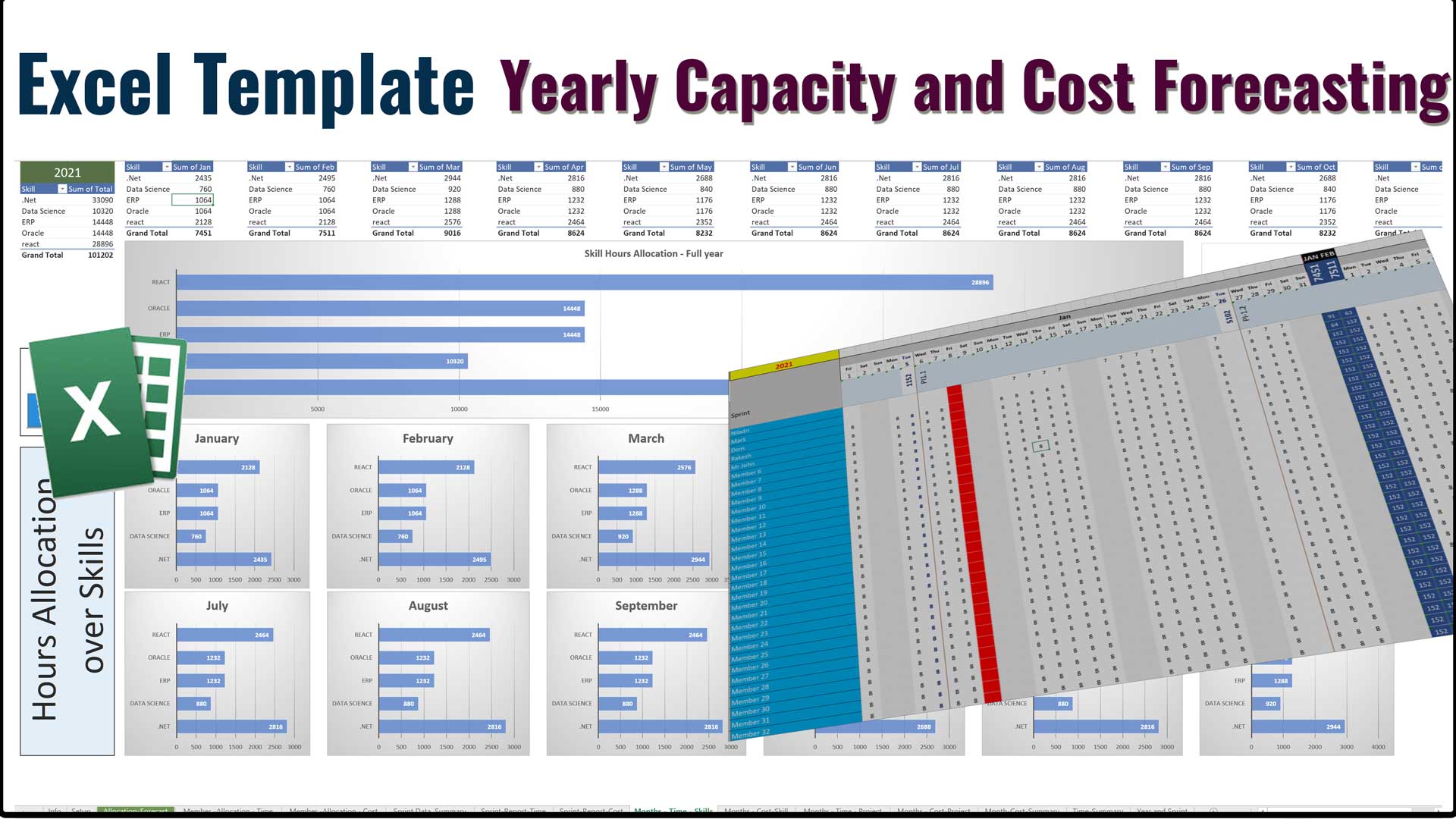
This is an easy-to-use Excel template to forecast your Cost and capacity for any Year summarized by Months and Sprint with Dynamic sprint duration. The Planner also provides multiple analytical reports quickly visualize the summary Watch the video from the sidebar to understand how to operate this template, or how it works.
Configuration
| Year | Forecasting for the year |
| Months & Day | leave it Unchanged |
| Sprint Duration / Days | Quick translation of Sprint Weeks with Number of Calendar Days |
| Sprints | List of Sprints with sequence, Define the Name of the Sprint, In case your first sprint of the year is Sprint 33, Name it accordingly and the subsequent sprints. |
| Holidays | List of applicable holidays for that year |
| Sprint Definition | Define the Sprint Duration (in weeks) and sprint start day (Monday to Sunday). The template will calculate the start date of the first sprint. |
Limitations
There are a couple of Limitation as mentioned below
- This Template supports maximum 50 members.
- Forecast for 1 Calendar year only
- Each member have only 1 Skill Set
- Max with of Sprint can be 6 Weeks
- Planning scope is one anyone Full year
- Skill Allocation to resources can be one to one
FAQ
Q1. Is this Template work in Google Sheets?
Ans: We have not tested it. We believe as this template are using complex formulas and formats. It may create problems in google sheets
Q2. How do I mark holiday in Allocation-Forecast sheet for individual member and date?
Ans: You can add a value as “H”, or “h”, which will turn the cell as 0. This action will overwrite the existing formula, however you can copy any adjacent cell formulae to that that cell in case you want to revert back the original formula.
Q3. Why there are some Rows and columns are hidden?
Ans: There are few rows and columns intentionally kept hidden, so that those values don’t get changed accidentally. As this worksheet is not used any macro (except to refresh the Pivot table) many important data needed to kept in the cell is which is for calculation purpose only. changing or deleting them, may create errors or wrong calculation
Q4. Can I change the formula ?
Ans: Yes you can, Please keep a master copy of the file, in case you want to revert back
Q5. In case we need support or help in case of any error or bug, How can we connect with you?
Ans: you can email us at support@agiledigest.com with Subject [Support Request – Excel Template Yearly Capacity & cost Forecasting / Order Number ##]
Q6. What are the Limitations of this Template?
Ans. This Template supports maximum 50 members.
- Forecast for 1 Calendar year only
- Each member have only 1 Skill Set
- Max with of Sprint can be 6 Weeks
- Planning scope is one any one Full year
- Skill Allocation to resource can be one to one
Q7. If we need some modification or customization, what will be the process?
Ans. You can email us at support@agiledigest.com with the details, If the changes are very simple, we will do it for you free, If the changes are complex, we will be happy to do that with a minimal charges
Q8. If I want to Agile Digest to develop some Excel for us, something different, Is it ok to send a email to support@agiledigest.com ?
Ans: yes
Video Tutorial
Gallery